Change timezone
This guide explains how to set the correct timezone on the Smart Pi One.
1. Open a terminal on the Smart Pi One
You can run these commands either:
- directly on the Smart Pi One, in a terminal window on its desktop, or
- remotely over SSH — see the SSH Connection Guide for detailed instructions.
2. Set the timezone with armbian-config
Run the following command:
Use the arrow keys to go to Personal and confirm by pressing Enter.
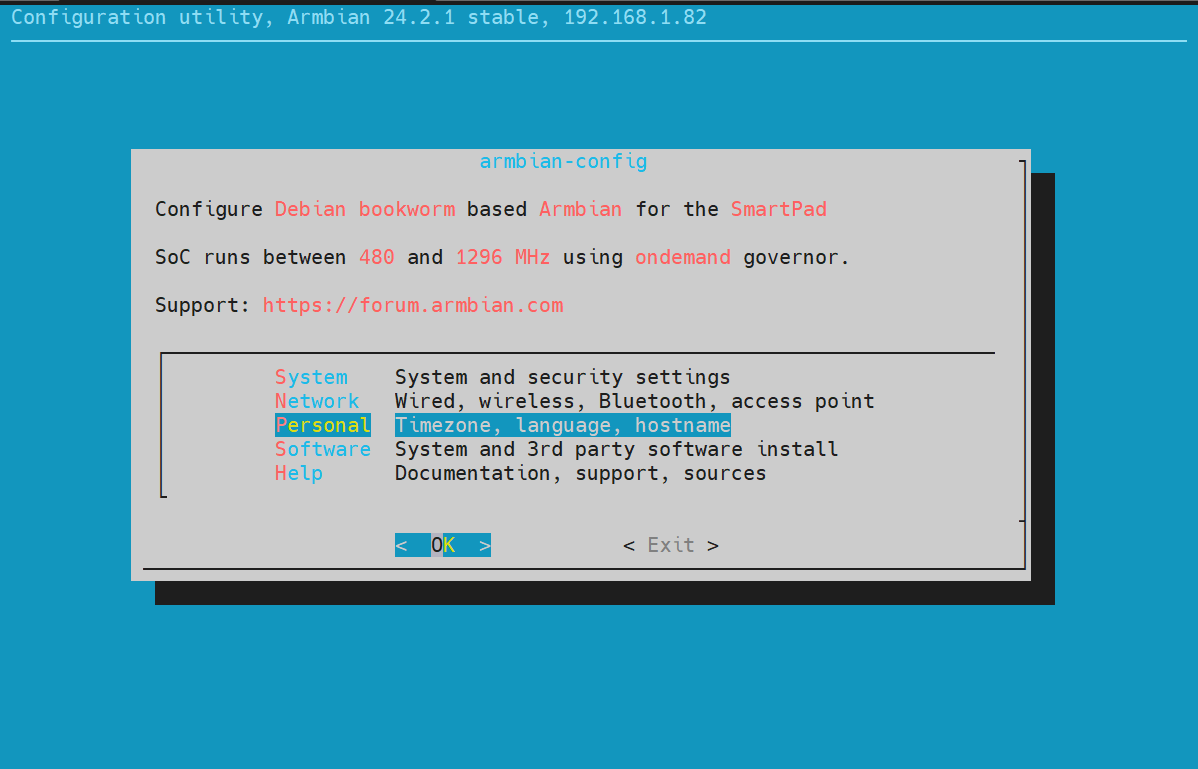
Use the arrow keys to go to Timezone and press Enter to confirm.
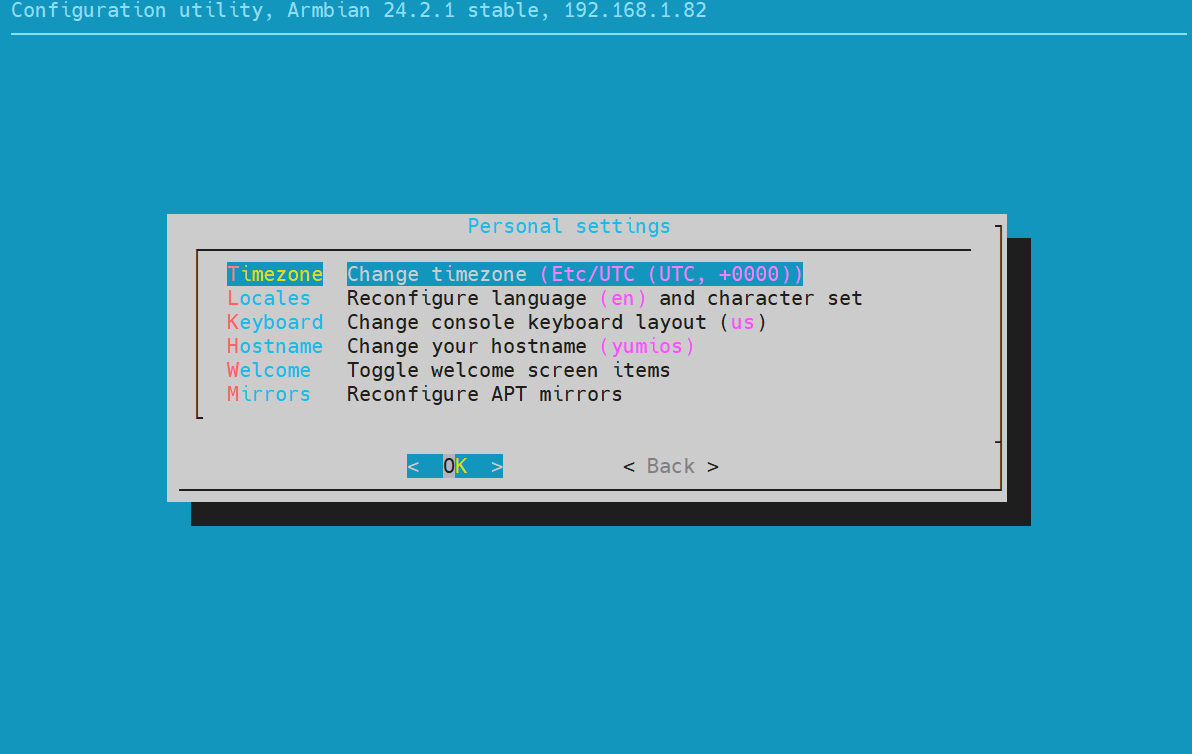
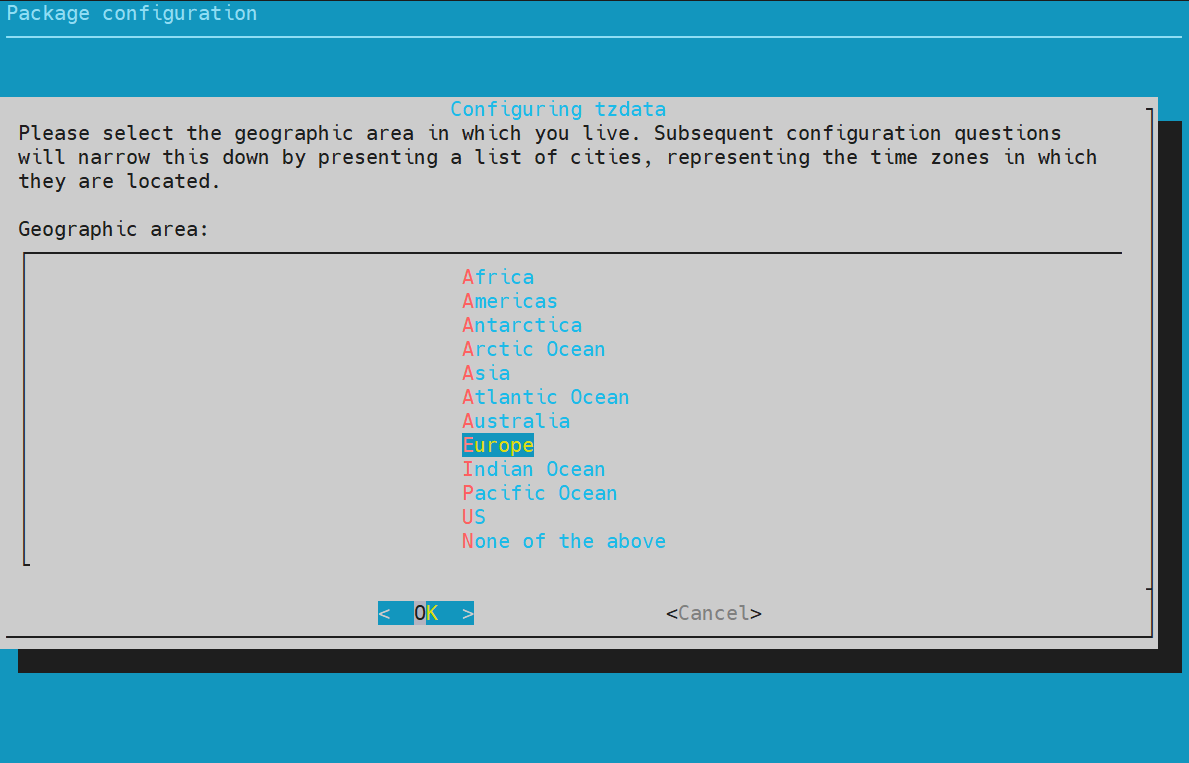
Use the arrows to select your zone and press Enter to confirm.
Select your reference city using the arrows and press Enter to confirm.
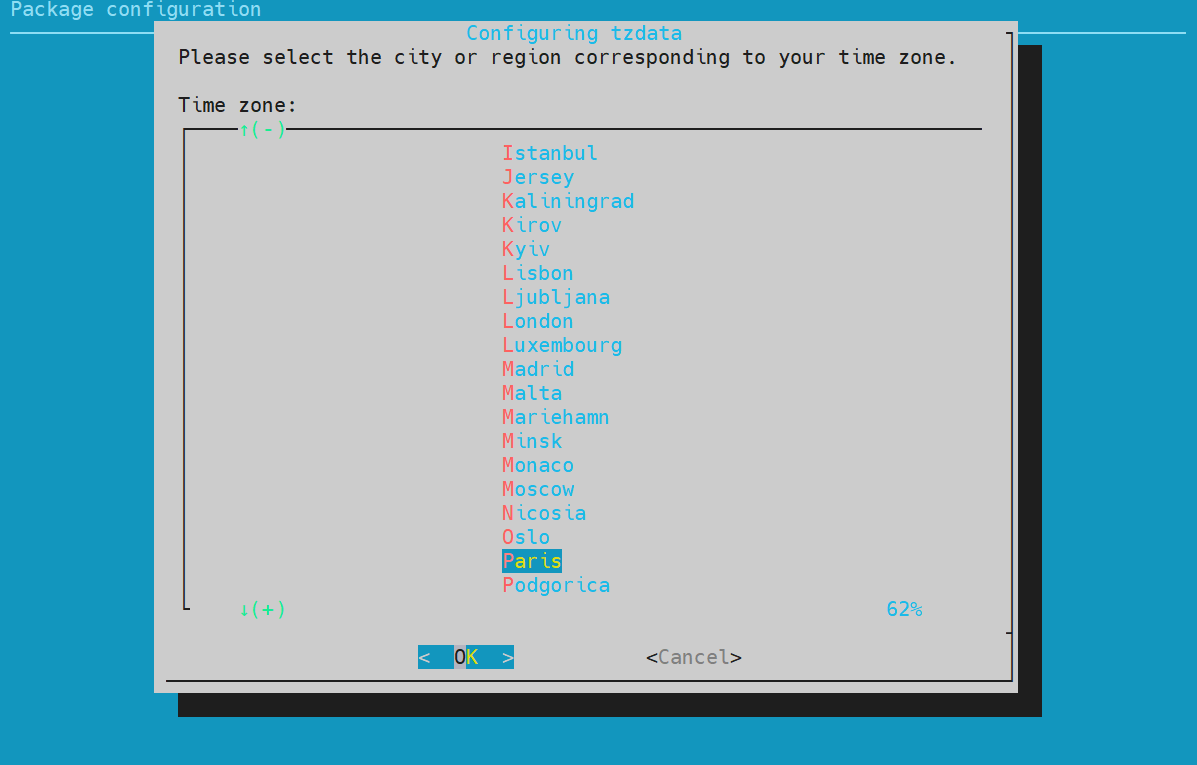
The Smart Pi One is now on the correct time — you can close the terminal or the SSH session.
3. Alternative: set the timezone with timedatectl
You can also set the timezone from the command line, without armbian-config.
List the available timezones:
Set your timezone (replace with the value from the list):
Check the result: